

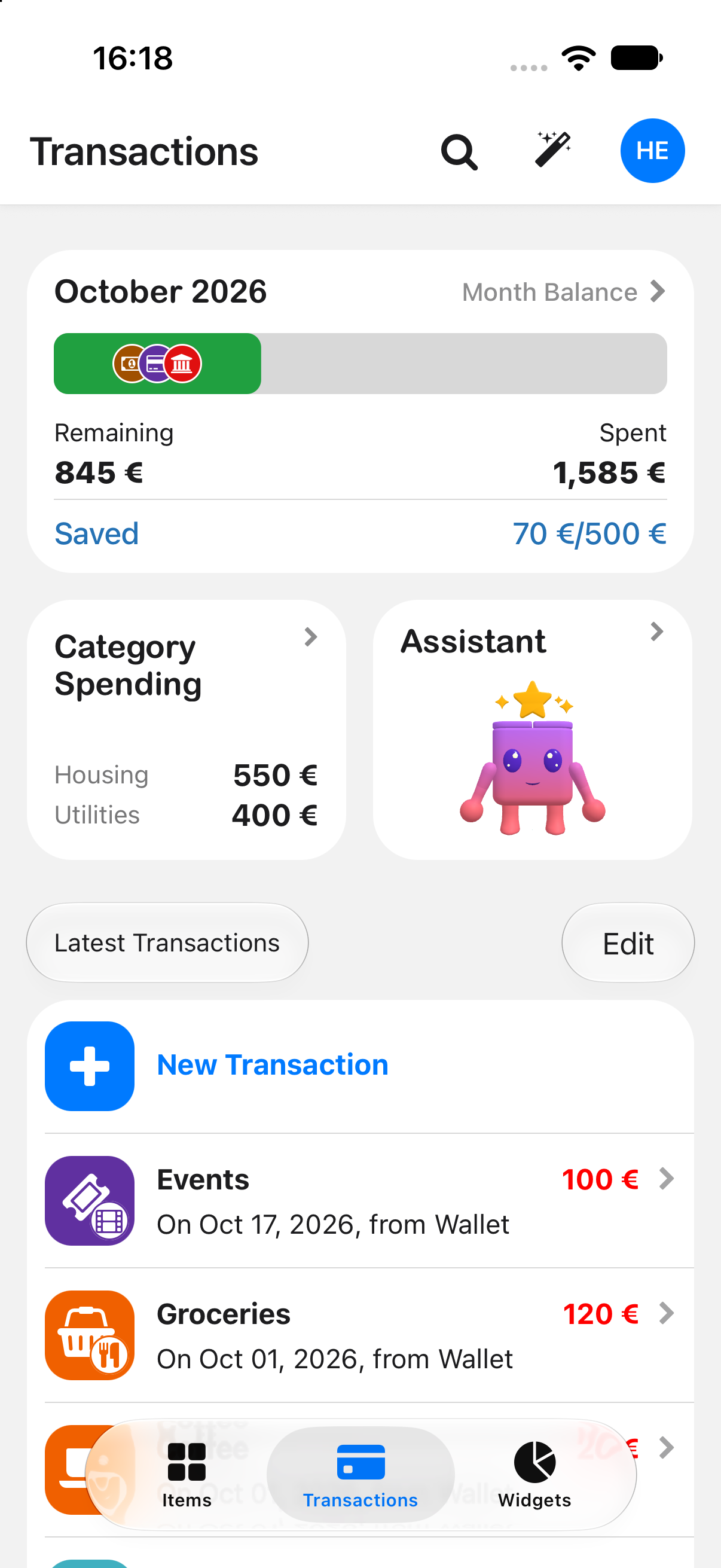
Wishbox will help you record expenses and savings.Record expenses and savings with ease. Collaborate with your family and friends. Talk to AI with a tap.Create a wishbox for a wish or a coming expense, then save from your wallet, bank, or drawer — on iPhone, iPad, Mac, and Apple Watch. Android and Wear OS are coming soon with the same app.
 Coming soon
Coming sooniPhoneiPadMacApple WatchAndroid soonWear OS soon
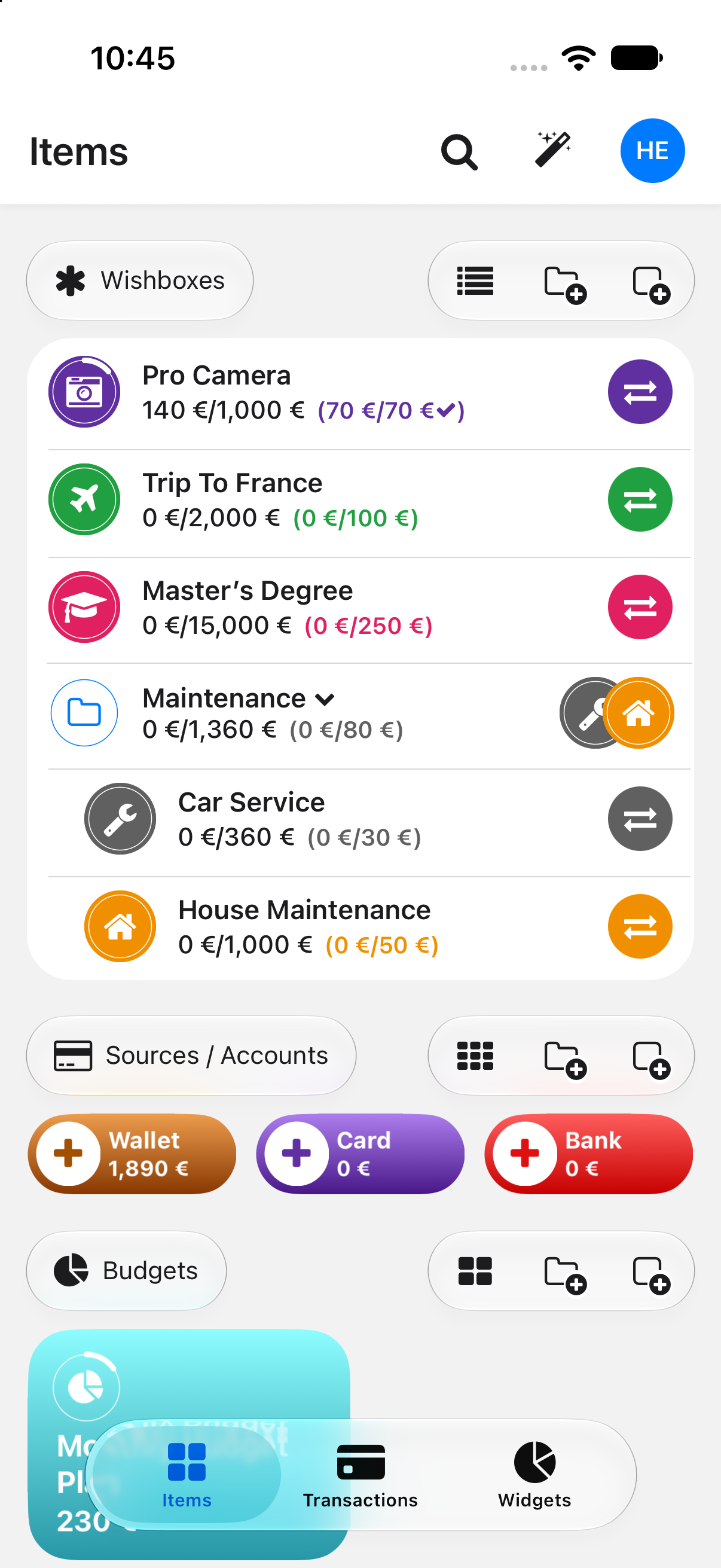
A $300 surprise should not wreck your month.
If tires, rent, or a trip will hit later, make a wishbox with a due date. Wishbox suggests the monthly deposit so the money is already labeled when you need it — separate from the wallet, bank, or drawer it lives in.
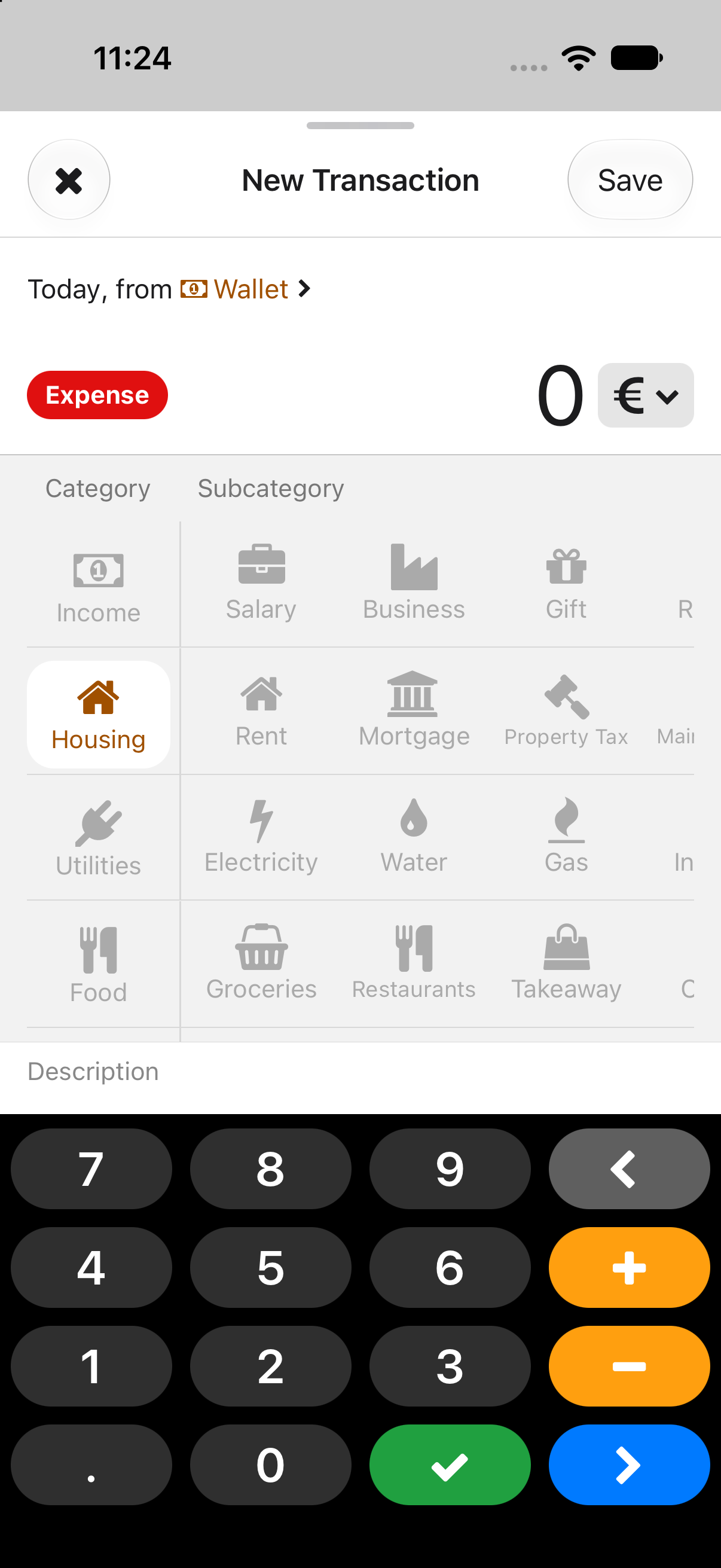
Intuitive and familiar logging.
Add income or an expense in seconds, with categories, subcategories, search, and transfers between items. Spot the purchases you did not mean to do.
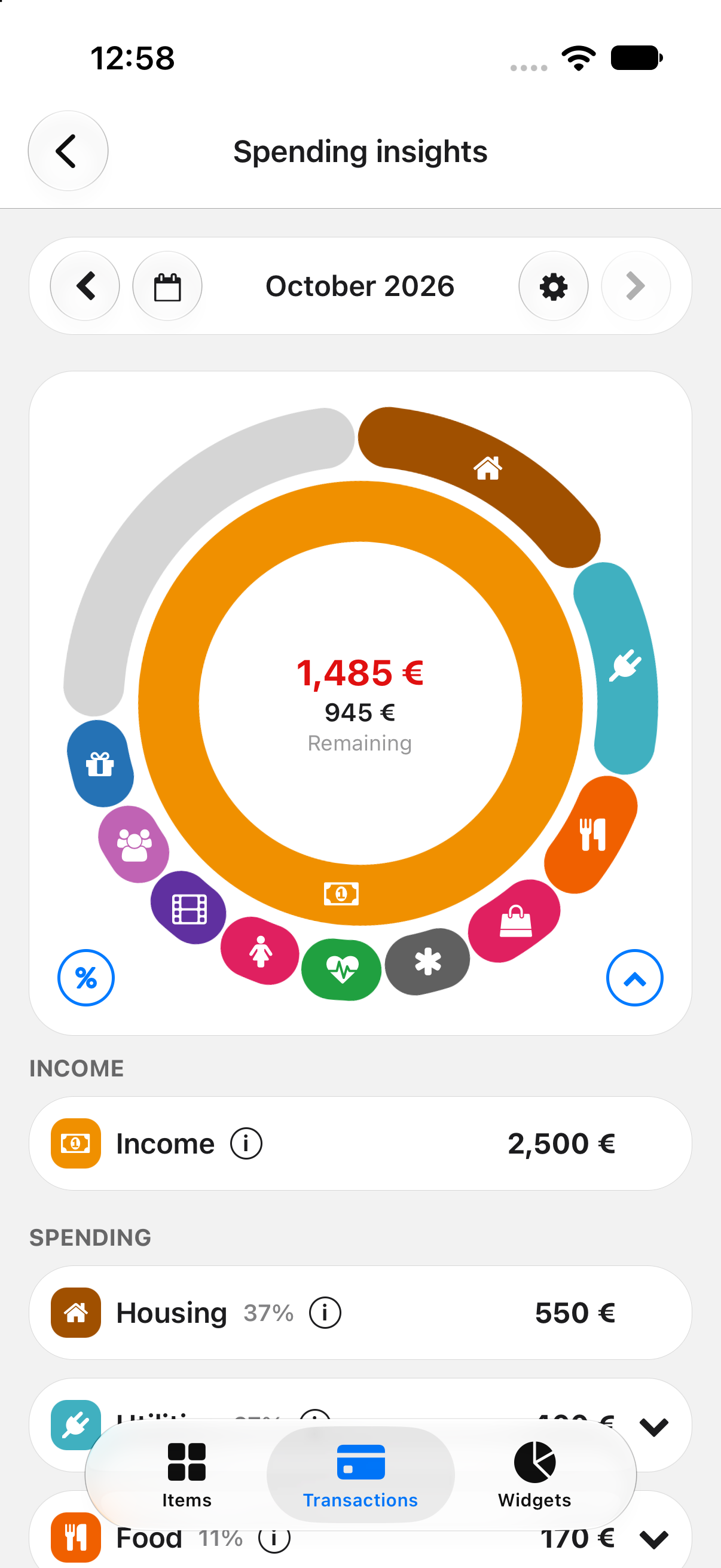
See the month clearly.
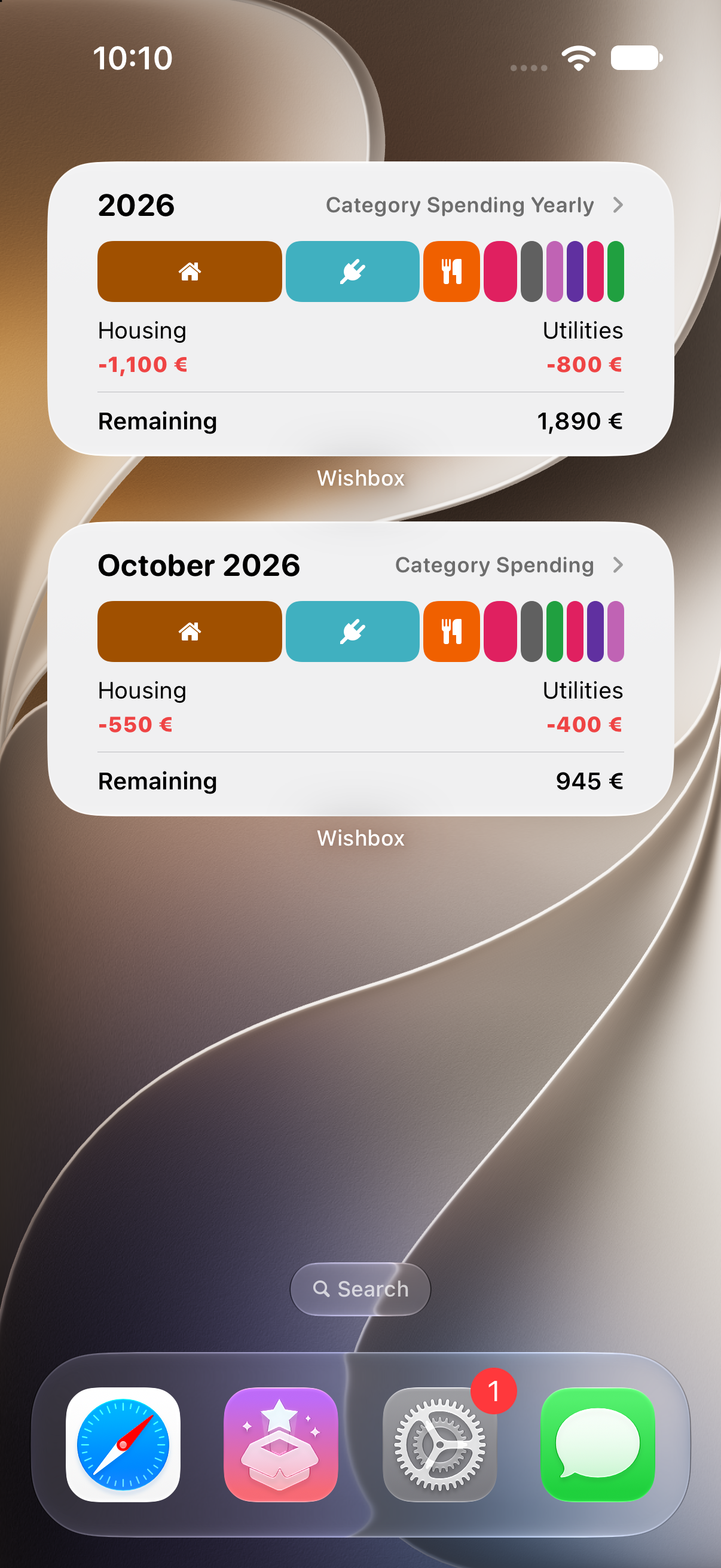
Spending pies, month overview, and net worth versus last month — so you know what moved, not just what you spent.
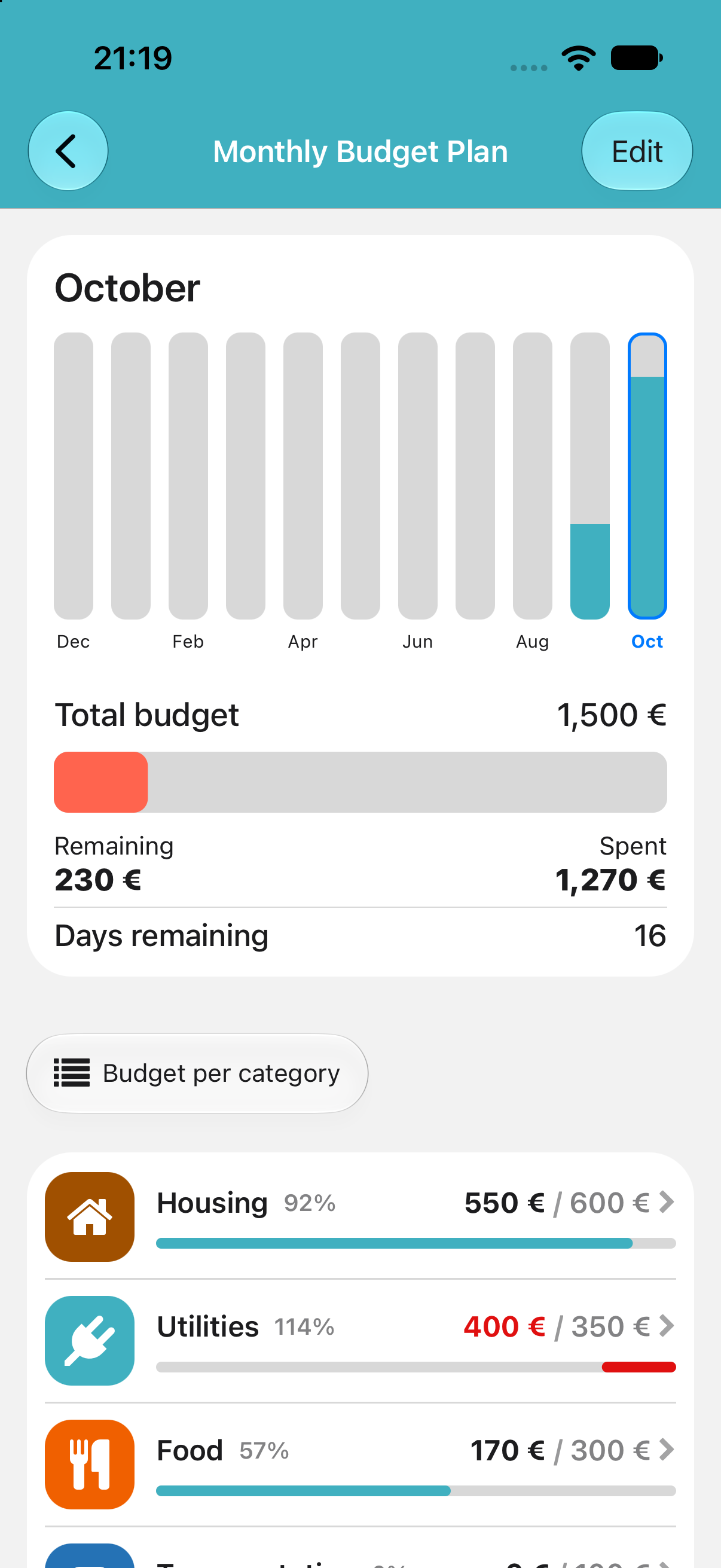
Budgets for the month and each category.
Set a spend limit, then see what is left, what went over, and how many days are still in the cycle. Part of Wishbox+.
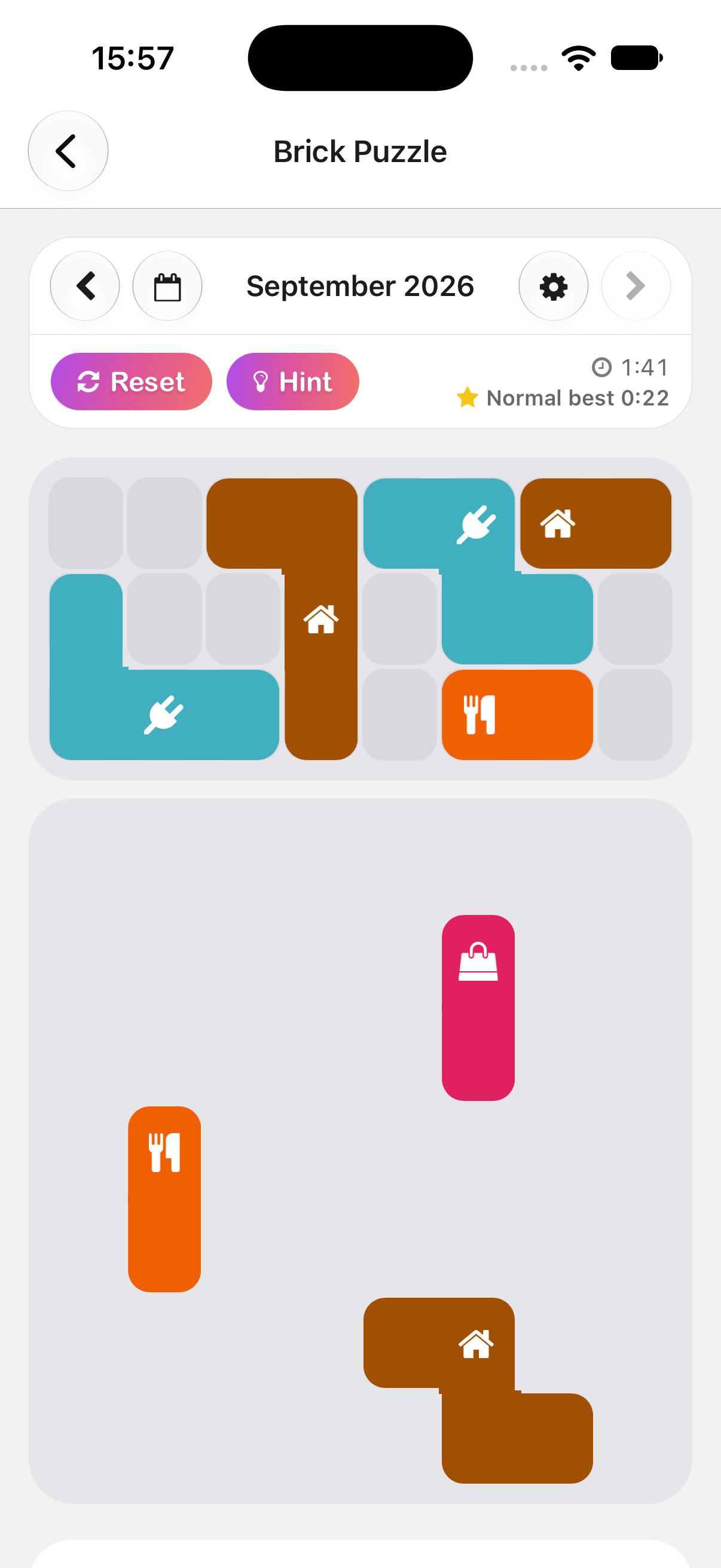
Brick Puzzle. A month you can beat.
A closed month of spending, or a budget, becomes pieces you fit on the board. Race your best time. Part of Wishbox+.
Ask Wishbox to do the work.
Chat or speak to add transactions, import a bank export, catch duplicates, and understand your finances. Voice works on your phone and on watch.
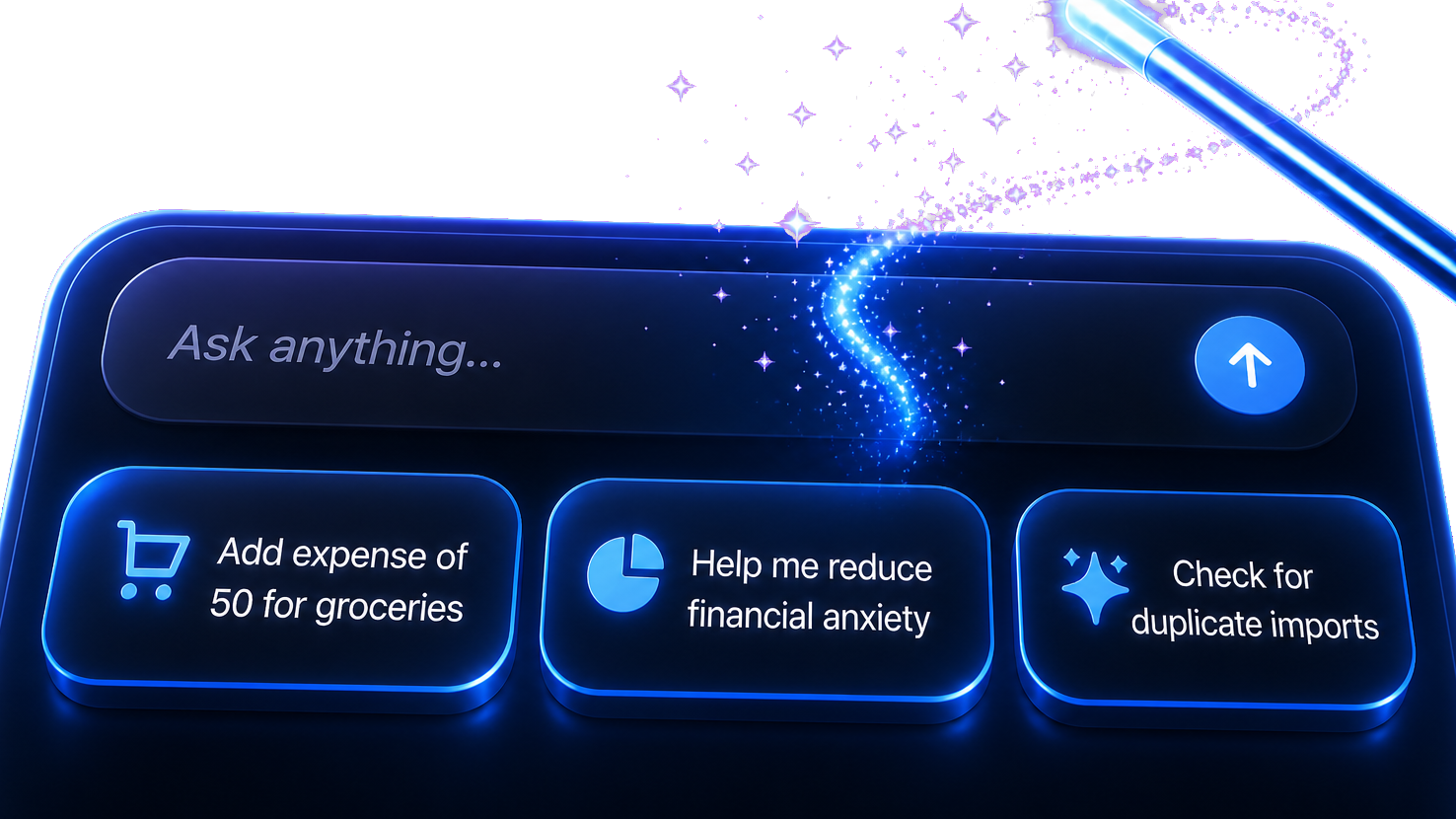
Try asking
Add expense of 50 euros for groceriesImport transactions from a bank exportCheck all transactions for duplicatesGive me last 3 months insightsCreate an emergency fund Wishbox of 2000 to reach in one yearDeposit all Wishbox item's remaining amount for this month
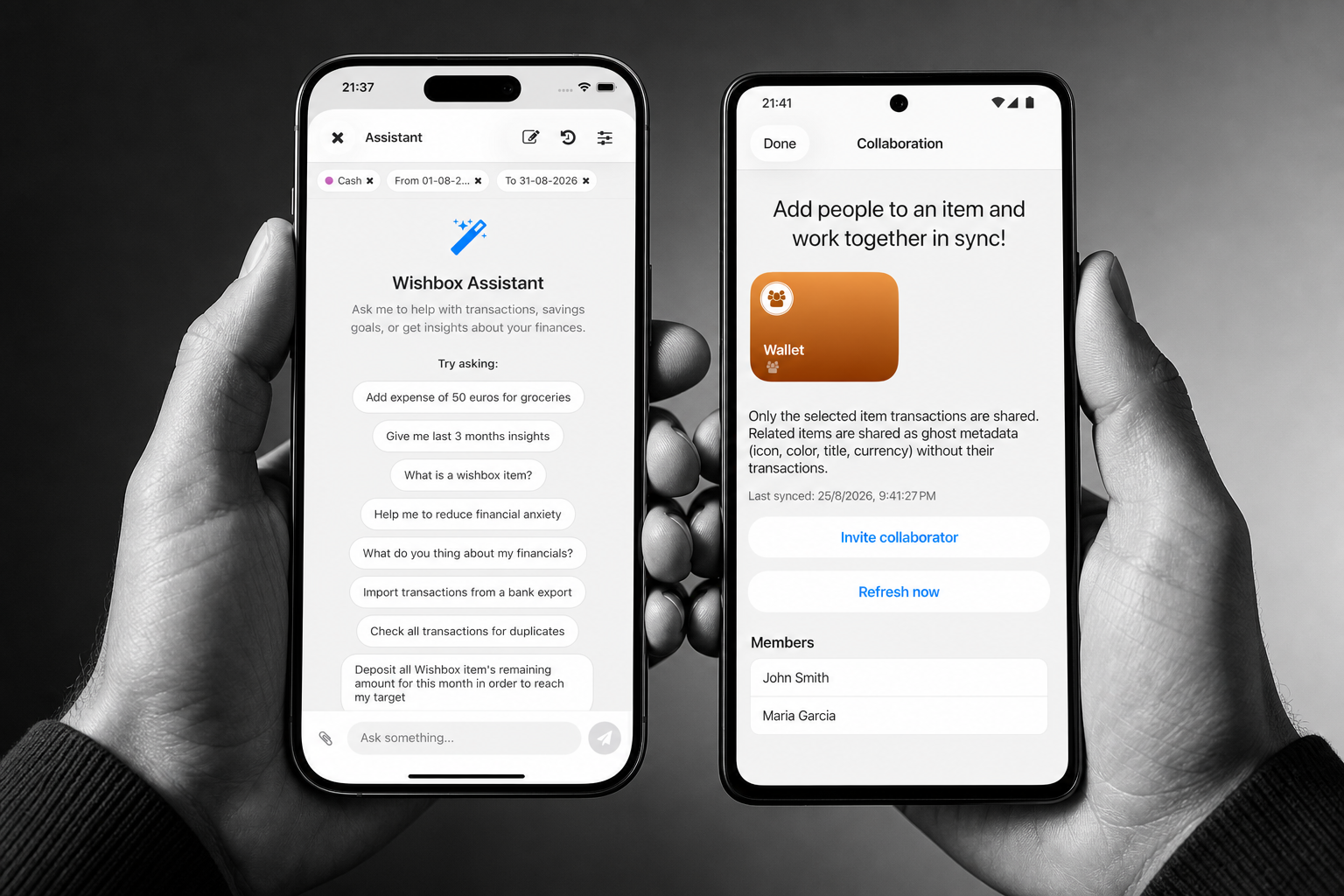
The assistant can create a wishbox, deposit what is left this month, or walk through a file you already exported. Nothing leaves the device until you agree.
Share an item, not your whole life.
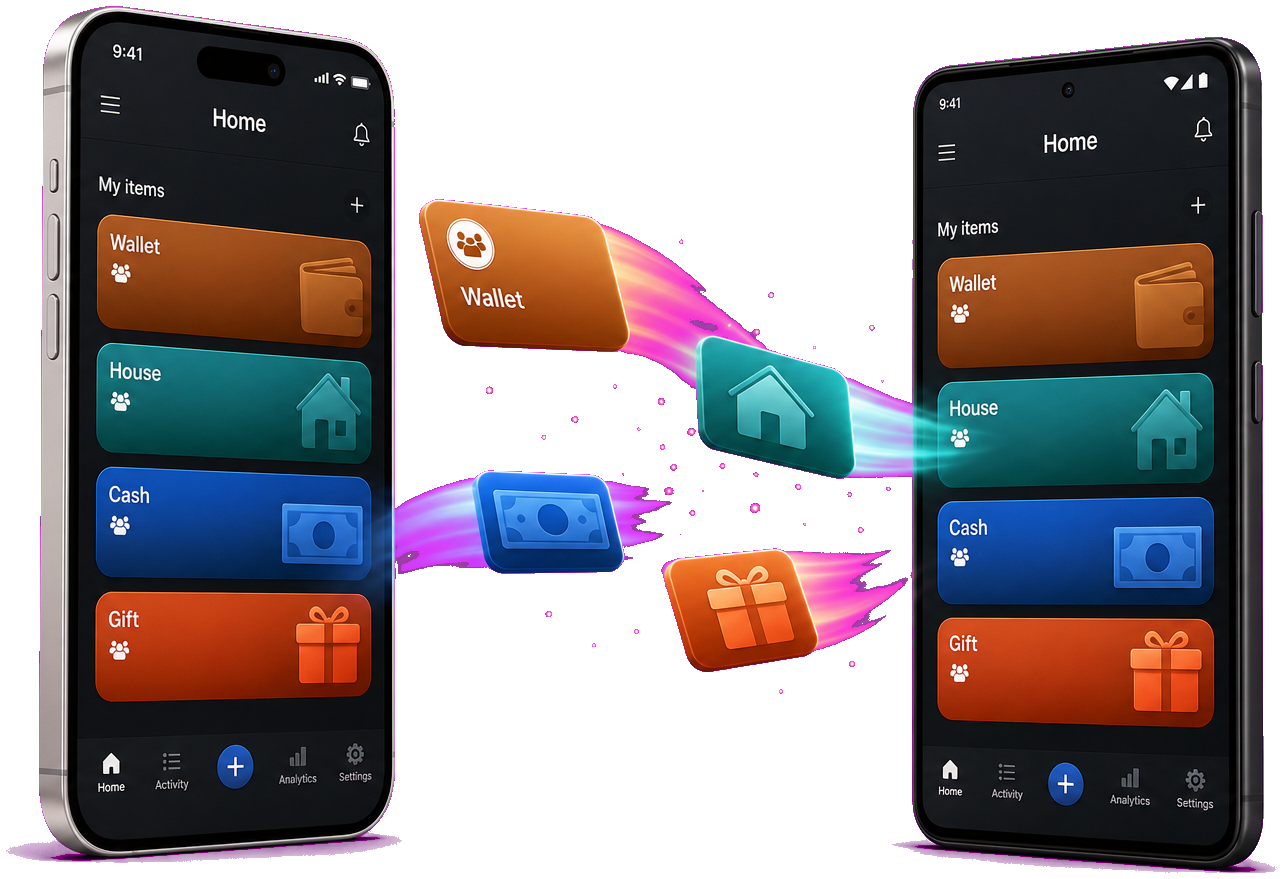
Invite someone to a wallet, a house fund, or a trip. Only that item’s transactions stay in sync. Everything else stays on your device.
Widgets on the home screen and in the app.
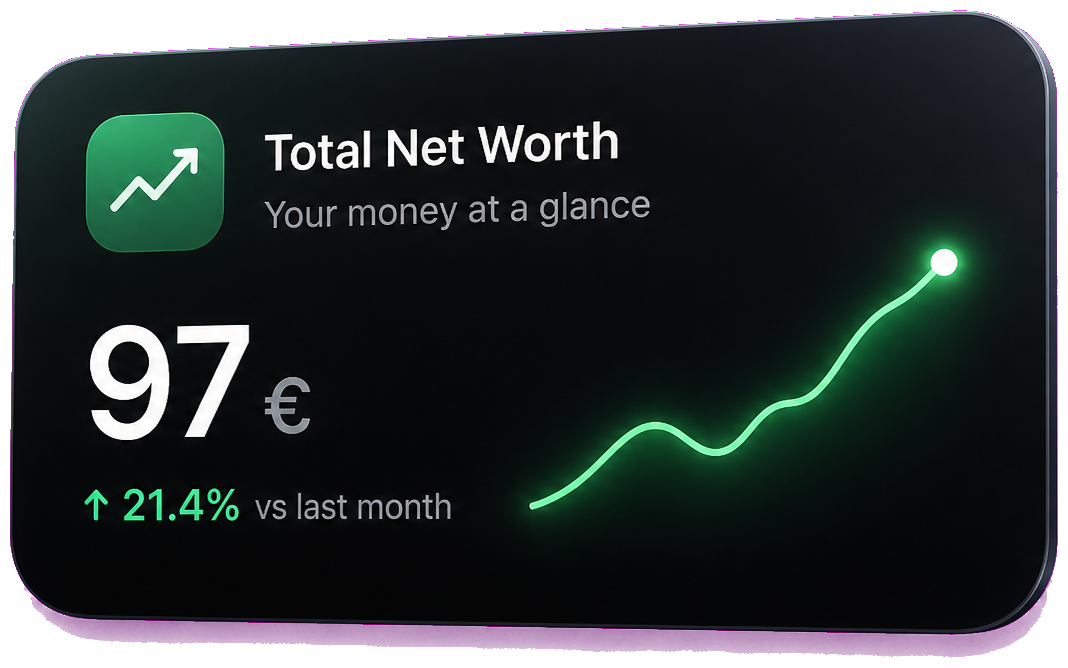
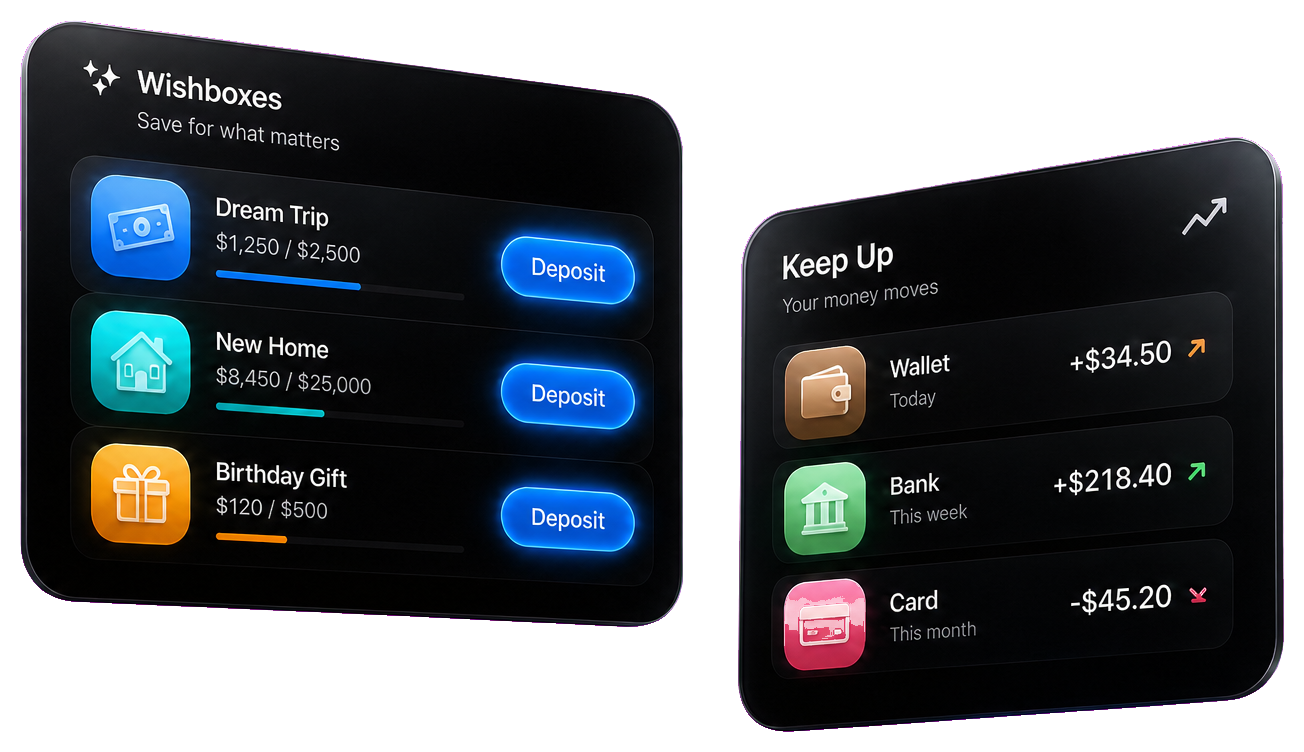
Net worth, month balance, category spend, streaks, deposits, keep-up, and a new transaction shortcut — plus a customizable grid inside Wishbox.
Deposit to a wishbox in a tap, or see when transactions went missing — from widgets on your home screen.

Meet the mascot.
It lives in 3D on your widgets. Let it entertain you, or tap it to chat with the assistant. Part of Wishbox+.
Home screen widgets are on iPhone now. The same widgets are coming on Android.
Everywhere you already work.Wishbox is on iPhone, iPad, Mac, and Apple Watch. Optional iCloud or Google Drive keeps the same labeled money on every device you turn it on for.
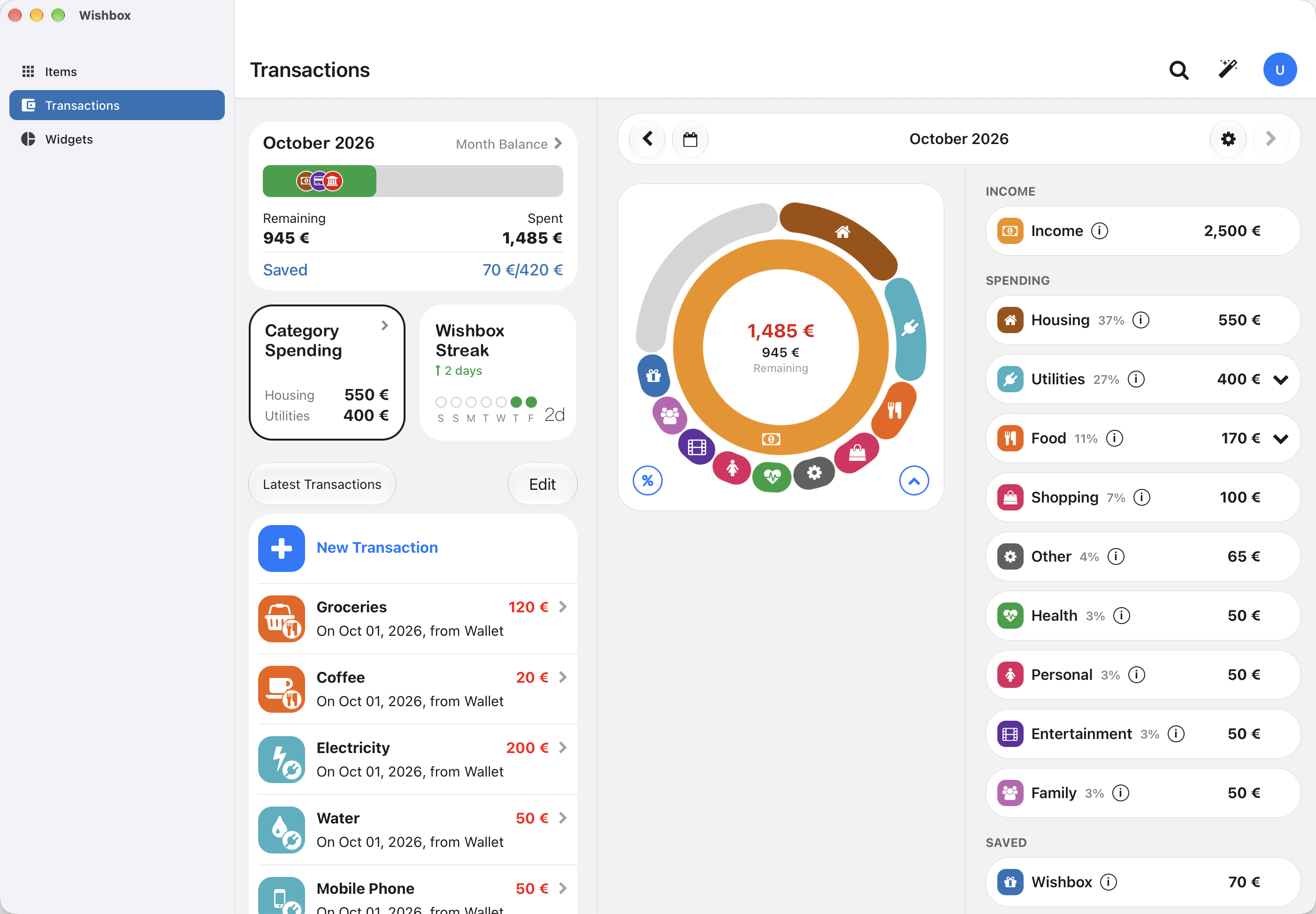

Mac
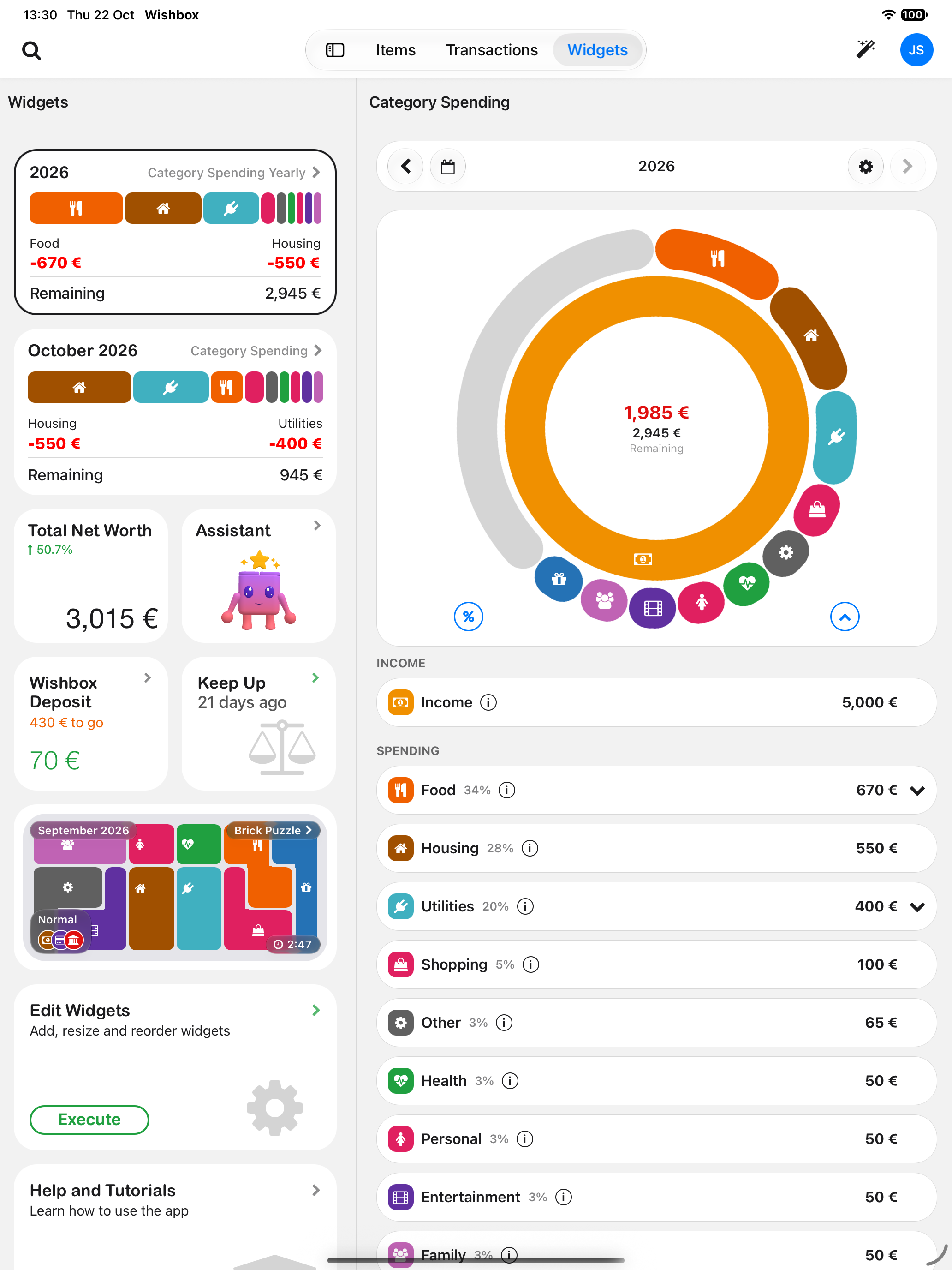

iPad
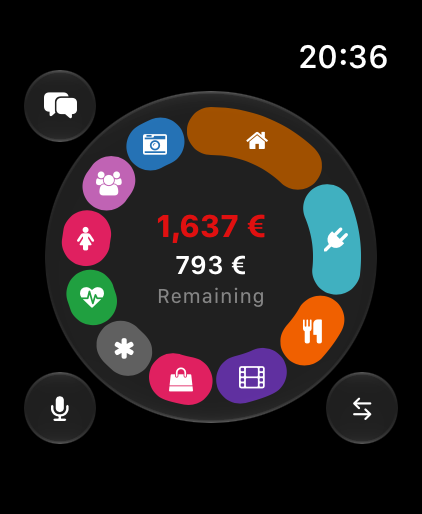
Apple Watch
This is the same on Android. Phones, tablets, and Wear OS are still coming, and they ship with these same layouts.
iPhone
Daily tracking, widgets, and the assistant in your pocket.iPad
More room for wishboxes, reports, and planning.Mac
A desktop view for deeper review and clean money admin.Apple Watch
Deposits, voice, and a glance at what is left to save.Android
Coming soon. Phone and tablet get the same Wishbox.Wear OS
Coming soon. The same wrist view as Apple Watch.Private until you choose otherwise.
Wishbox is local-first. Collaboration, iCloud or Google Drive, and the assistant only see what you turn on. Read the privacy policy.

Wishbox+ costs less than a single unnecessary purchase and helps you find those every month.Unlock collaboration, the assistant, richer widgets, currencies, cloud sync, export, and backups when you are ready. No commitment — cancel anytime.Coming soon
Coming soonCollaborationShare items with others and keep transactions in sync across devices.
AI AssistantChat with an assistant that helps add transactions, import bank files, and understand your finances.
Assistant widgetMeet the Wishbox mascot, live in 3D on your widgets. Let it entertain you, or tap it to chat with the assistant.
Multiple currenciesAdd transactions in different currencies and convert them on your month balance.
BudgetsSet spend limits per category and track remaining budget through each cycle.
Deposit and Keep Up widgetsDeposit to wishbox items in a tap, and keep income and expenses in sync when transactions go missing.
Better info widgetsGet a clearer look at net worth, spending, and the month from your home screen.
Brick PuzzleTurn a closed month of spending, or a budget, into a puzzle and beat your best time.
Cloud SyncKeep your full app database in your own iCloud or Google Drive.
ExportExport transactions to CSV.
Backup & RestoreBackup, share, and restore your entire app state.
Coming soonA few things people ask.
2.0 adds an AI assistant, collaboration on a specific item, richer widgets, and a faster data system — with the same local-first privacy. Android and Wear OS are coming with the same app. Wishbox+ unlocks the extra tools when you want them.
Wishbox labels money for a wish or a coming expense. You still log income and spending, but the point is to see what each pile of savings is for — not to rebuild a spreadsheet every month.
No. Wishbox works with cash, wallets, and files you already have. You can import a CSV or ask the assistant to read a bank export. There is no required bank login.
Not by default. Transactions and wishboxes stay on your device until you turn on collaboration, cloud sync, or the AI assistant.
Chat or speak to add transactions, import a bank export, catch duplicates, explain spending, and create or deposit into wishboxes. It only runs after you agree, and you can turn it off in Settings.
Invite someone to a specific item — a wallet, a house fund, or a trip. Only that item’s transactions stay in sync. Everything else stays on your device.
iPhone, iPad, Mac, and Apple Watch now. Android phones, tablets, and Wear OS are coming soon with the same Wishbox. Home screen widgets are on iPhone now, and the same widgets are coming on Android. Watch apps can log with voice and keep wishbox progress nearby.
Wishbox+ unlocks collaboration, the AI assistant, richer widgets, multiple currencies, cloud sync, CSV export, and backup & restore. You can cancel anytime from the App Store or Google Play.
Yes. Use Settings → Import to match a CSV, or give the file to the AI assistant and ask it to import. The assistant can read a bank export or another app’s file and match the fields for you. You can fix anything that is not.
Optionally. Cloud Sync stores a copy of your app database in your own iCloud or Google Drive. You can also backup and restore the full app state.
On iPhone or iPad, manage the subscription in the App Store. On Android, manage it in Google Play.
More answers live on the support page. Read the privacy policy.
Start saving today. For tomorrow.Use Wishbox to track your spending, save for your goals, collaborate, and work with AI easily.Coming soon
Coming soon